
For the project that has a plan for everything except the people.
Maybe it's a new system rollout. A process redesign. A restructure. A policy update that affects the whole team.
You know your organisation. You know the people. You just don't have a framework.
The Accidental Change Manager’s Toolkit gives you one.
Most changes don’t fail because the technical plan was wrong.
They fail because the people side was treated as an afterthought. The announcement went out too late. Nobody mapped what actually changes for the people doing the work. Training covered the new system but not the new job. And by the time resistance showed up, it was too late to address it properly.
If you're a project manager, HR generalist, operations manager, or team lead who's been handed a change to manage alongside everything else you already do — this is built for you.
You don't need a change management qualification. You need a clear process and the right questions to ask.
What it is
The Accidental Change Manager's Toolkit is a browser-based tool that walks you through the full people side of your change — from getting clear on what's actually changing, to mapping who's affected and how, to planning your communications and training, to tracking delivery and exporting a complete change plan.
Every section builds on the last. Stakeholders you identify early appear as options throughout the rest of the toolkit. Your delivery checklist builds itself from your comms and training plans. The more you put in, the more the toolkit does for you.
Seven guided sections. Plain language. Everything saves automatically as you type. When you're done, export to Excel or print as a PDF — a complete change plan you can hand to your sponsor, your team, or your future self.
Find method in the madness.
-
The Accidental Change Manager's Toolkit
A practical digital toolkit for managers asked to lead change without formal training.
-
Free Articles & Insights
Plain-English content on communication, resistance, stakeholder engagement, and workplace change.
-
More Tools Coming Soon
Template packs and practical resources for managers in the middle of change.
Built with care
I’ve spent two decades in projects and over ten years in change management. Across industries, I kept seeing the same problem: rollouts fail on the people side. Not because the project was wrong, but because people weren’t properly prepared, supported, or communicated with. Not every business has a dedicated change manager, so I built a practical toolkit to help teams follow a simple process when they don’t.
This toolkit has been built by a Senior Change Practitioner. Every section has been tested with real projects and real people. If you open it and have a genuine question about whether it fits your situation before you get started, email yvette@thechangemethod.com.au and you'll hear back within 48 hours.
Testimonials
“As a Project Manager, I’ve often seen change management overlooked and pushed onto PMs without the right expertise. This toolkit makes it easy to define what’s needed and build it into project plans, ensuring nothing is missed. It’s simple, effective, and has improved the timeliness and quality of my delivery. A tool I’ll keep using. “
— Samantha Hunt, Project Manager"I'm working through the plan and it's made me consider perspectives I hadn't thought of, which will make the project that much more successful. The review template is fantastic. I'd been thinking about how to get feedback for improvement and the questions to ask. This has made it easy. I feel very professional using this. I'll honestly use it again and again."
- Lisa Thomas, Secondary Teacher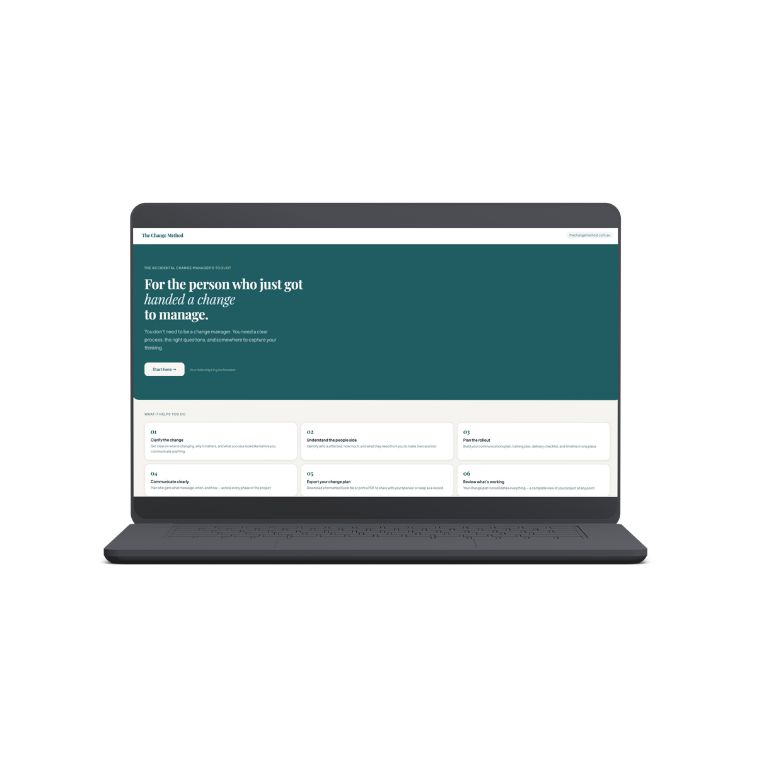
You've been asked to lead a project that changes the way people work, think, or act. A system rollout, a process redesign, a restructure, a new way of working. And now you're expected to bring everyone with you.
Nobody taught you how to do that. Most people in your position weren't.
This toolkit gives you the process.
WHAT'S INSIDE
The Accidental Change Manager's Toolkit is a practical, interactive digital tool built for project coordinators, managers, team leads, HR professionals, and business owners running change without a dedicated change manager.
Work through seven guided sections:
Clarify the change — get clear on what's changing, why, and what success looks like
Understand the people side — map who's affected, how much, and what they need
Plan your communications — who gets what message, when, and in what tone
Build your training plan — what each group needs to do differently after go-live
Track delivery — a sequenced checklist auto-built from your plans
Build your timeline — a week-by-week plan across three phases
Export your change plan — a complete plan to share with your sponsor or keep as a record
Everything saves automatically as you work. Export to Excel or print to PDF when you're done.
WHAT YOU GET
✓ The interactive toolkit — browser-based, instant access, no login required
✓ The Companion Guide PDF — explains every section, defines the terminology, includes a full worked example
✓ Post-implementation review template — gives you a process to conduct a review 4-6 weeks after go live to assess whether the rollout actually landed.
✓ Email support — questions as you work through it? Reach out at yvette@thechangemethod.com.au and you'll hear back within 48 hours.
WHO IT'S FOR
This toolkit is for you if you've been handed a project that introduces change to the company and affects people, and you're not sure how to bring them with you. No change management experience required.
$47 AUD — instant access on purchase.
Works in Chrome, Safari, Firefox, and Edge. Your data is stored locally in your browser — not on any server.
Built by Yvette, Senior Change Manager, with over ten years experience running large, complex change across IT and HR projects in major organisations. This is the process I use.
You've been asked to lead a project that changes the way people work, think, or act. A system rollout, a process redesign, a restructure, a new way of working. And now you're expected to bring everyone with you.
Nobody taught you how to do that. Most people in your position weren't.
This toolkit gives you the process.
WHAT'S INSIDE
The Accidental Change Manager's Toolkit is a practical, interactive digital tool built for project coordinators, managers, team leads, HR professionals, and business owners running change without a dedicated change manager.
Work through seven guided sections:
Clarify the change — get clear on what's changing, why, and what success looks like
Understand the people side — map who's affected, how much, and what they need
Plan your communications — who gets what message, when, and in what tone
Build your training plan — what each group needs to do differently after go-live
Track delivery — a sequenced checklist auto-built from your plans
Build your timeline — a week-by-week plan across three phases
Export your change plan — a complete plan to share with your sponsor or keep as a record
Everything saves automatically as you work. Export to Excel or print to PDF when you're done.
WHAT YOU GET
✓ The interactive toolkit — browser-based, instant access, no login required
✓ The Companion Guide PDF — explains every section, defines the terminology, includes a full worked example
✓ Post-implementation review template — gives you a process to conduct a review 4-6 weeks after go live to assess whether the rollout actually landed.
✓ Email support — questions as you work through it? Reach out at yvette@thechangemethod.com.au and you'll hear back within 48 hours.
WHO IT'S FOR
This toolkit is for you if you've been handed a project that introduces change to the company and affects people, and you're not sure how to bring them with you. No change management experience required.
$47 AUD — instant access on purchase.
Works in Chrome, Safari, Firefox, and Edge. Your data is stored locally in your browser — not on any server.
Built by Yvette, Senior Change Manager, with over ten years experience running large, complex change across IT and HR projects in major organisations. This is the process I use.
FAQs
No. It's written for people who haven't done this before. Every section has a guidance note that explains what it's for, what good looks like, and the most common mistakes to avoid.
Do I need change management experience to use this?
1
How does it work? Do I need to create an account or install anything?
2
No account, no app, no installation. When you purchase, you download a ZIP file containing three files. Open the toolkit HTML file by double-clicking it — it opens directly in your browser like a website. Everything works from there.
Is this a one-off purchase or a subscription?
3
One-off. You pay $47 AUD once and the files are yours. No recurring charges, no renewals.
How long does it take to complete?
4
That depends on the complexity of your project. For a straightforward rollout, most people work through the core sections in a few focused hours across a couple of sessions. You don't need to complete it in one sitting — everything saves automatically.
What if I change devices or lose the file?
5
Your work saves automatically in your browser on the device you're using. If you switch devices or clear your browser data, that saved progress won't transfer. Export to Excel regularly from the My Change Plan screen — that file can be saved anywhere and opened on any device.
Locally in your browser. Nothing is sent to any server. For sensitive projects, make sure you're on a secure, private device.
6
Where is my data stored?
No. You can start at any section. If your stakeholder analysis is already done, skip to the impact assessment. If you just need a communications plan, go straight there. The toolkit is most useful before go-live, but it's still valuable partway through.
My project is already underway. Is it too late to use this?
7
The timeline section has an Agile mode. Select it and the schedule switches from week-based to sprint-based timing.
8
What if my project is Agile?
Email yvette@thechangemethod.com.au and you'll get a response within 48 hours.
9
What if I get stuck?
Is this a project management tool?
10
No. This toolkit focuses entirely on the people side of a rollout — stakeholder analysis, impact assessment, communications planning, training planning, and adoption tracking. It works alongside your project plan, not instead of it.